
Lerni
Product
Immersive AI-powered simulator of a language exam for foreign healthcare professionals at VR Mondo
My role
End‑to‑end UX & UI, prompt engineering, evaluation, user testing
Team
Me, PM, social media specialist, freelance VR engineer
Timeline
2026 Q2-Q3
Problem
About 40% of foreign doctors fail Germany’s medical language exam, and no immersive tool gives feedback on spoken language use.
Outcome
Shipped a customizable app, tested on-site with 50+ target users in 4 European countries, fixed 12 critical and 40 minor errors in 15 eval sessions.
Problem
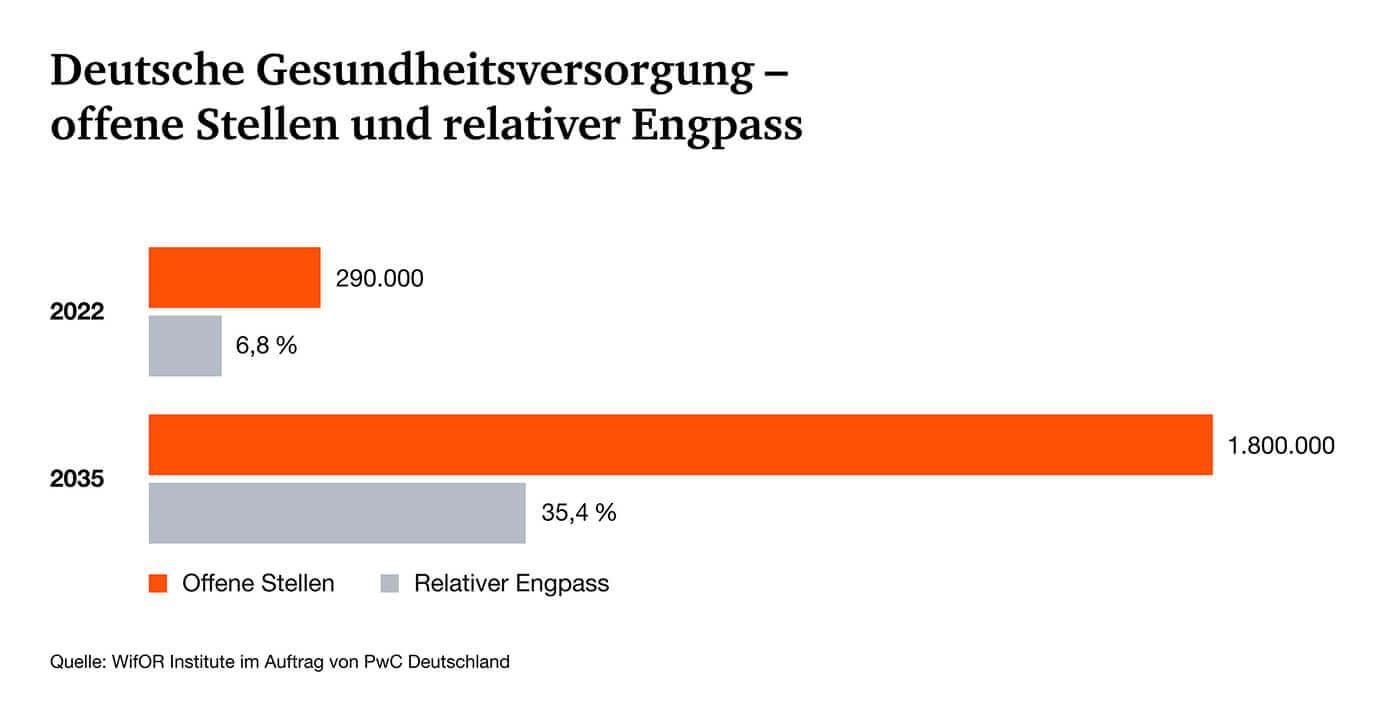
According to a PwC study, almost 1.8 million healthcare vacancies were projected to go unfilled by 2035. This corresponded to a 35% bottleneck.
According to LÄKB, the failure rate for the specialized language examination required to enter the German job market was around 40% for foreign doctors.
Sponsor constraints required addressing the problems above, using immersive tech within the allocated budget.
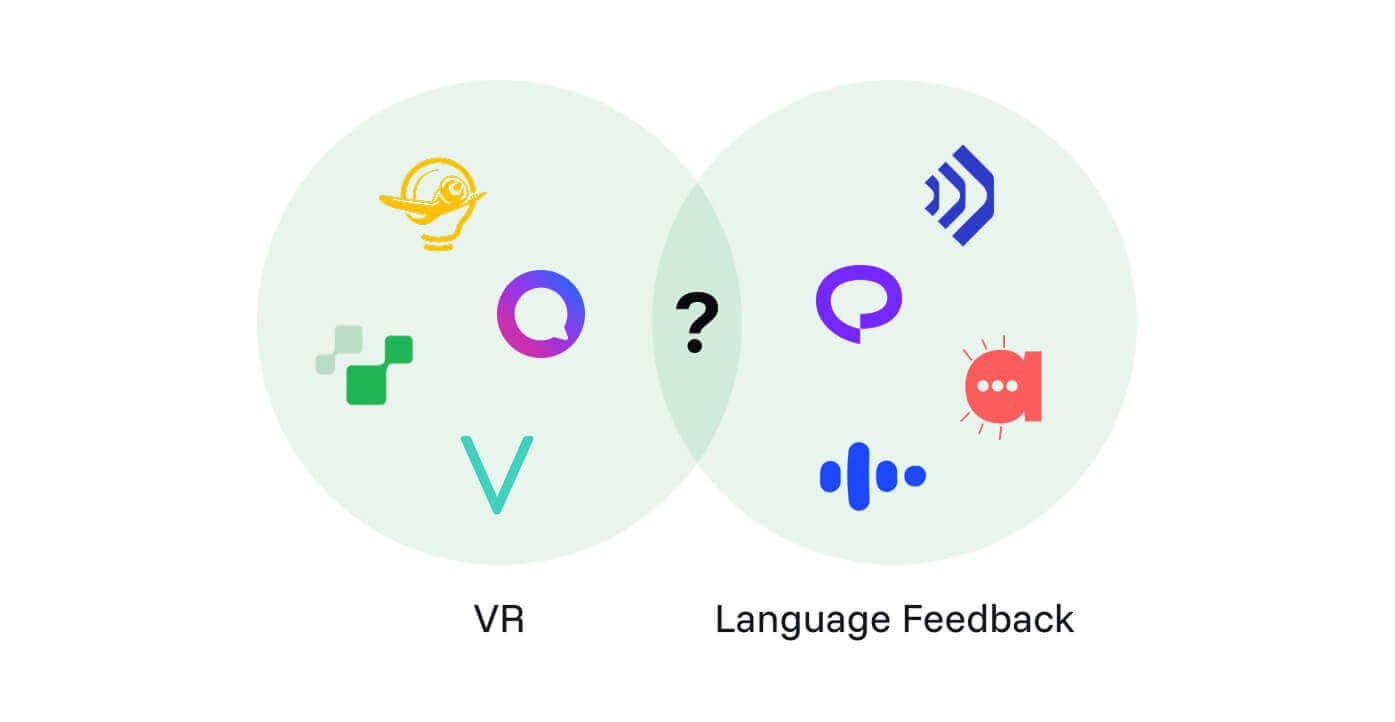
My market research showed that none of the top 20 existing solutions covered both immersive tech and language-use feedback.
The project aimed to create a product that helps foreign medical professionals prepare for a specialized language exam by practicing with an immersive exam simulator.
Key decisions
1. Hire a freelance engineer
Problem: The team lacked the technical skills to build an immersive, AI-powered app.
Options:
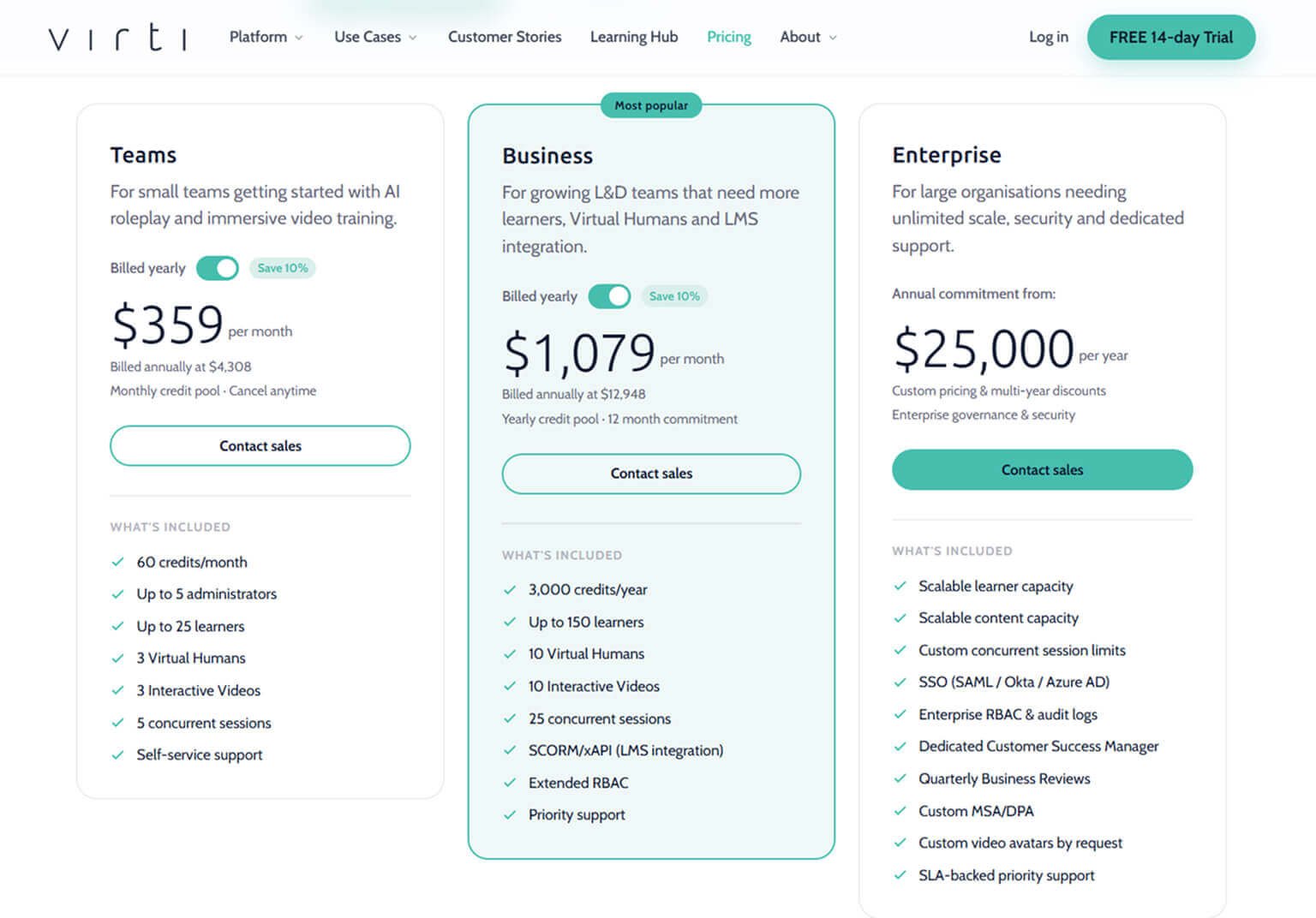
- Use available 3rd party solutions, which were highly customizable for prompting, 3D avatars, and environments, but didn’t provide language-use analysis and were subscription-based.
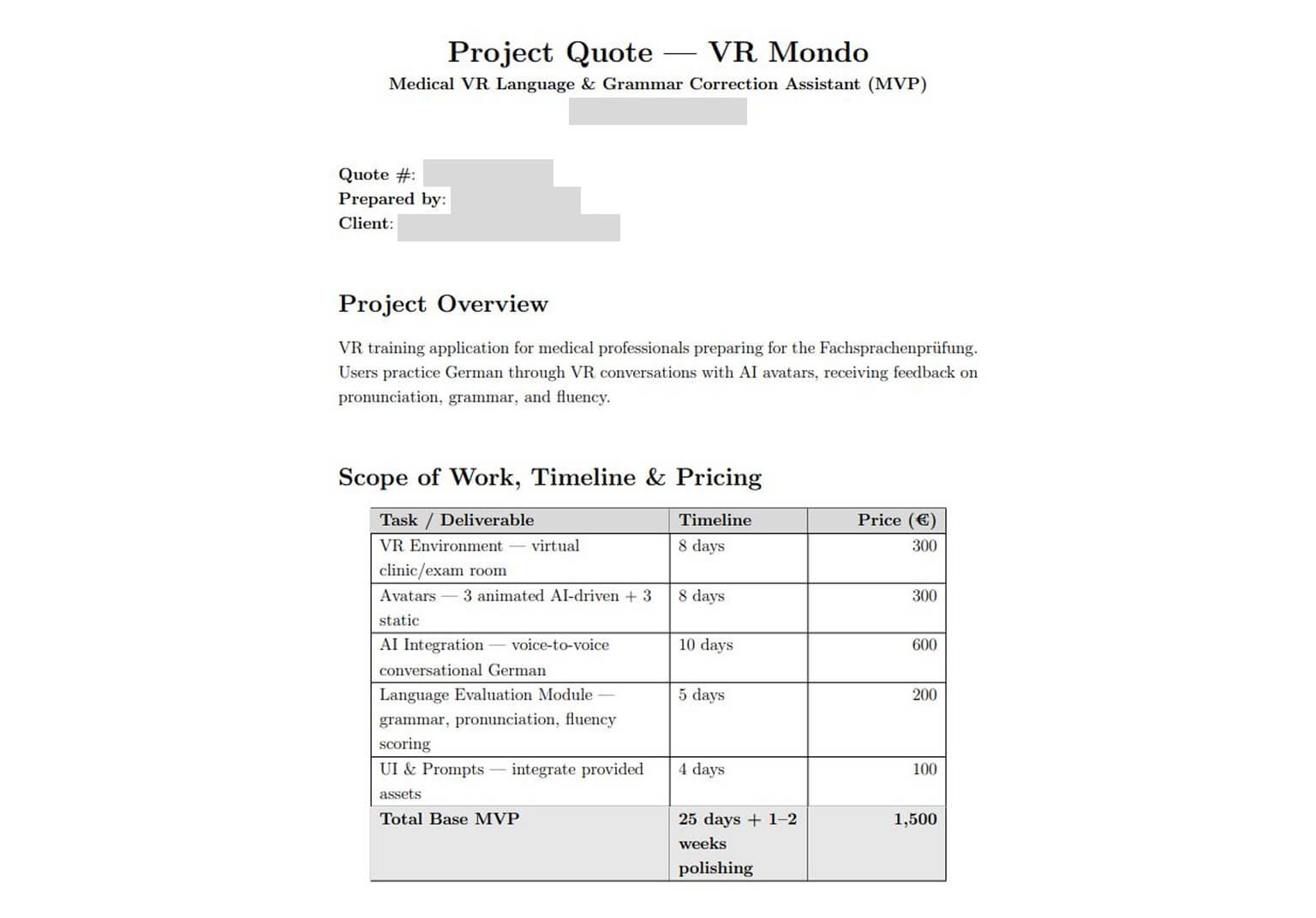
- Hire a freelance VR engineer who can add language-use analysis that our team would own, but at a slightly higher cost than the annual enterprise software tiers.
Decision: I hired a professional to build the solution that combines both VR and language-use feedback.
Result: I posted a position, filtered resumes, interviewed candidates, and contracted an engineer whose rate fit the project budget.
2. Build on insider data
Problem: The simulator app needed data on Germany’s state technical language exam in healthcare (Fachsprachprüfung), which wasn’t publicly available.
Options:
- Using the publicly available guides for exam preparation. Low effort, but it only covers data for examinees.
- Request insider information from healthcare institutions that train and examine foreign healthcare professionals. This information was hard to get because education and examination institutions guard it for business reasons.
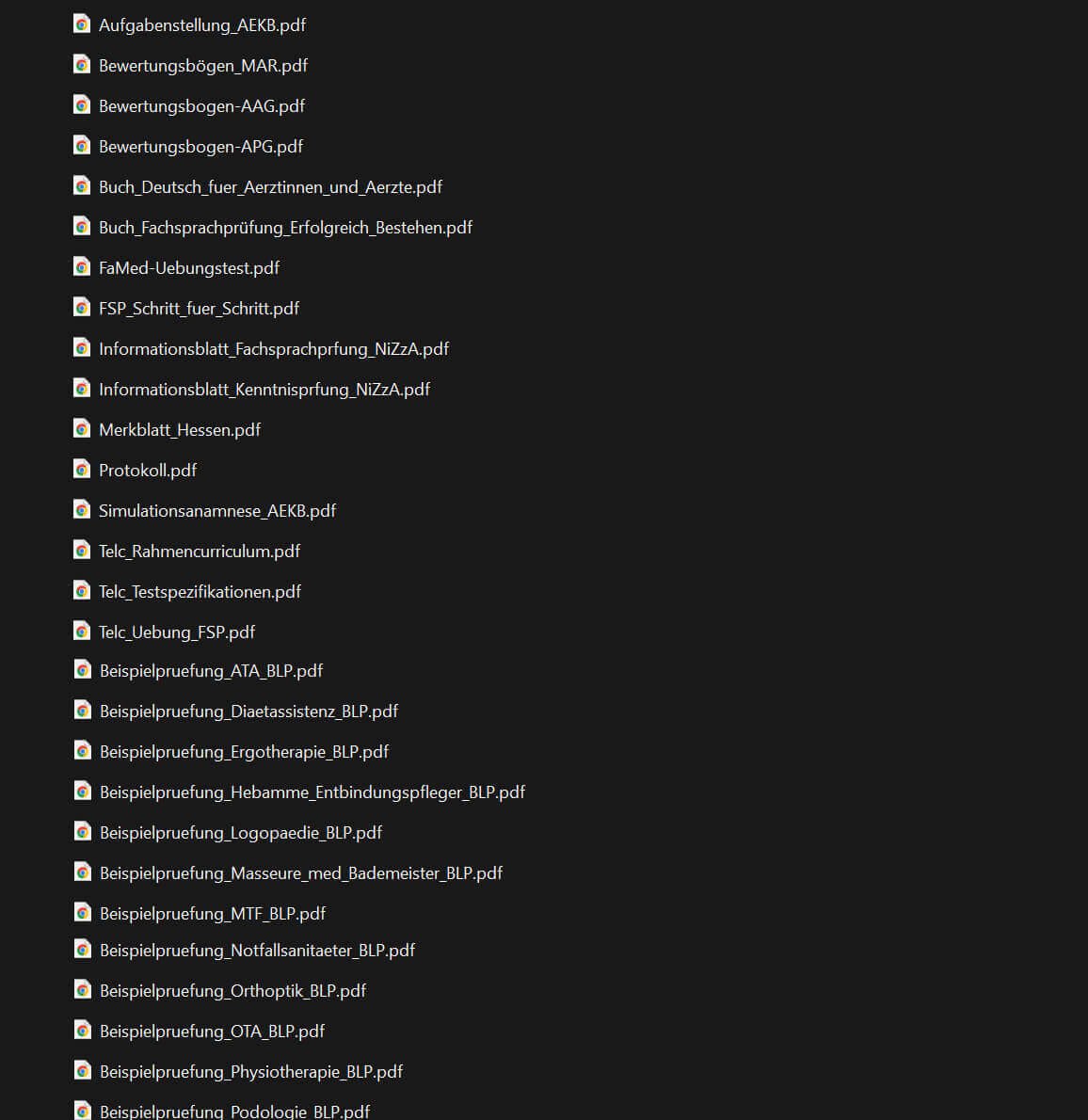
Decision: I did both: I gathered relevant data for examinees from publicly available sources, such as books and online guides, and I contacted our partners in the education and healthcare sectors to request any examiner data they could provide.
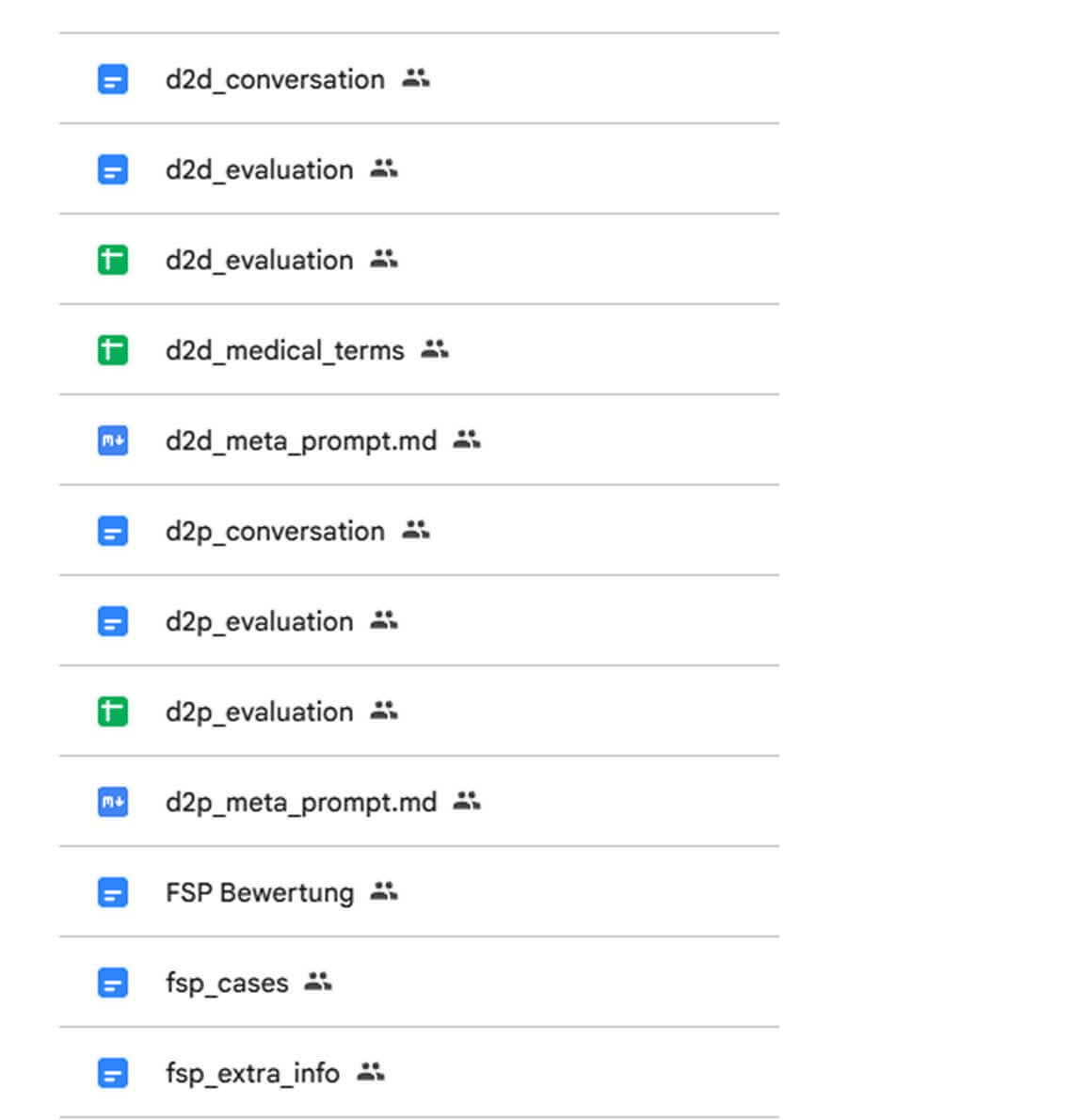
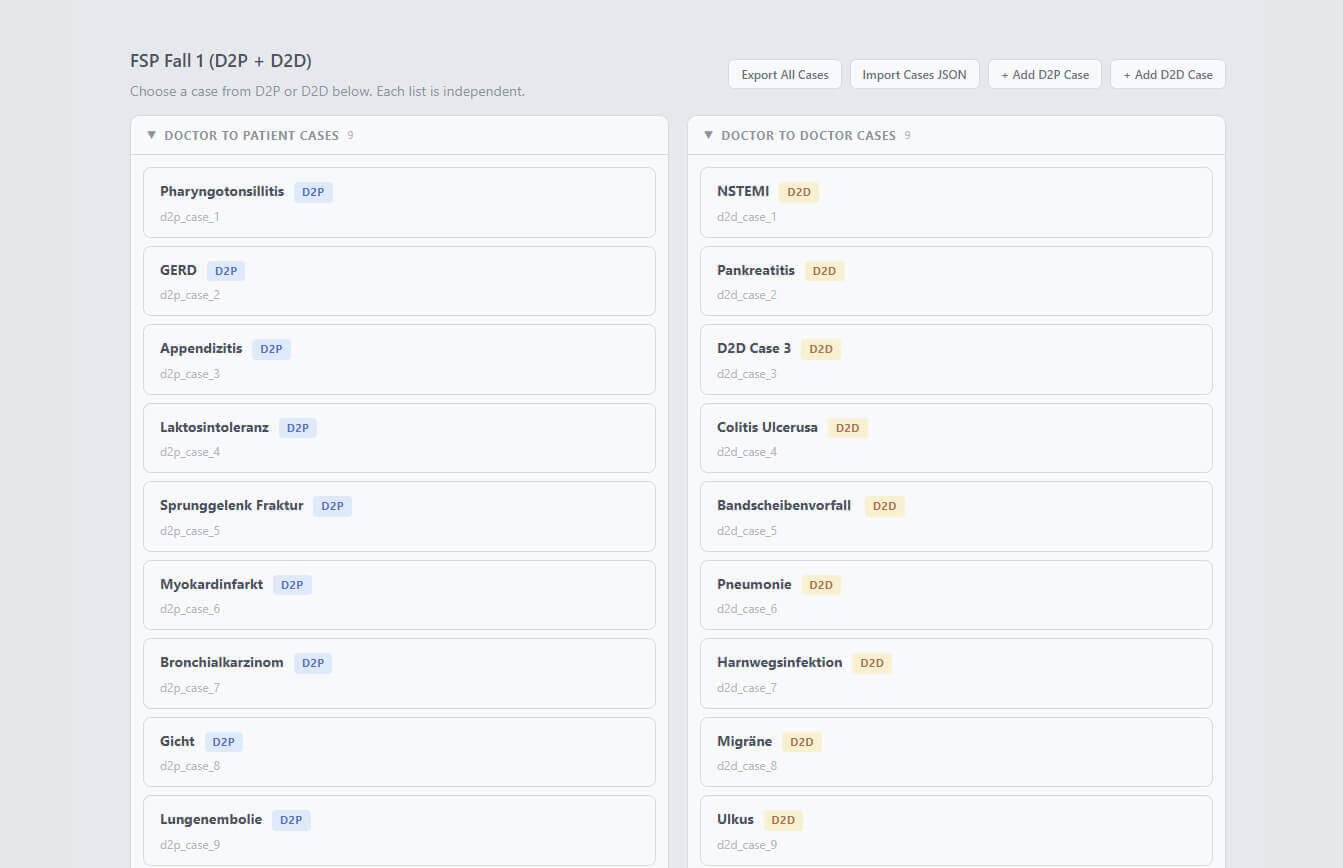
Result: Our partners provided the books and manuals for examiners. I used AI to extract the relevant sections, clustered them, and used them in RAG to create conversation prompts, evaluation criteria, and medical cases.
3. Prototype a custom 3D environment
Problem: The simulator needed a specific medical 3D environment.
Options:
- Buy a ready-made environment on 3D asset platforms with high quality but not customizable.
- Hire an environment artist to produce a custom environment, which can be expensive.
- Create a Gaussian splatting or photogrammetry model by scanning our partners’ real healthcare environments with a camera and LiDAR. These environments are best suited, but achieving high quality is difficult.
- Task the hired freelance engineer to create an environment directly in Unity Engine, which had a limited toolset but was very flexible.
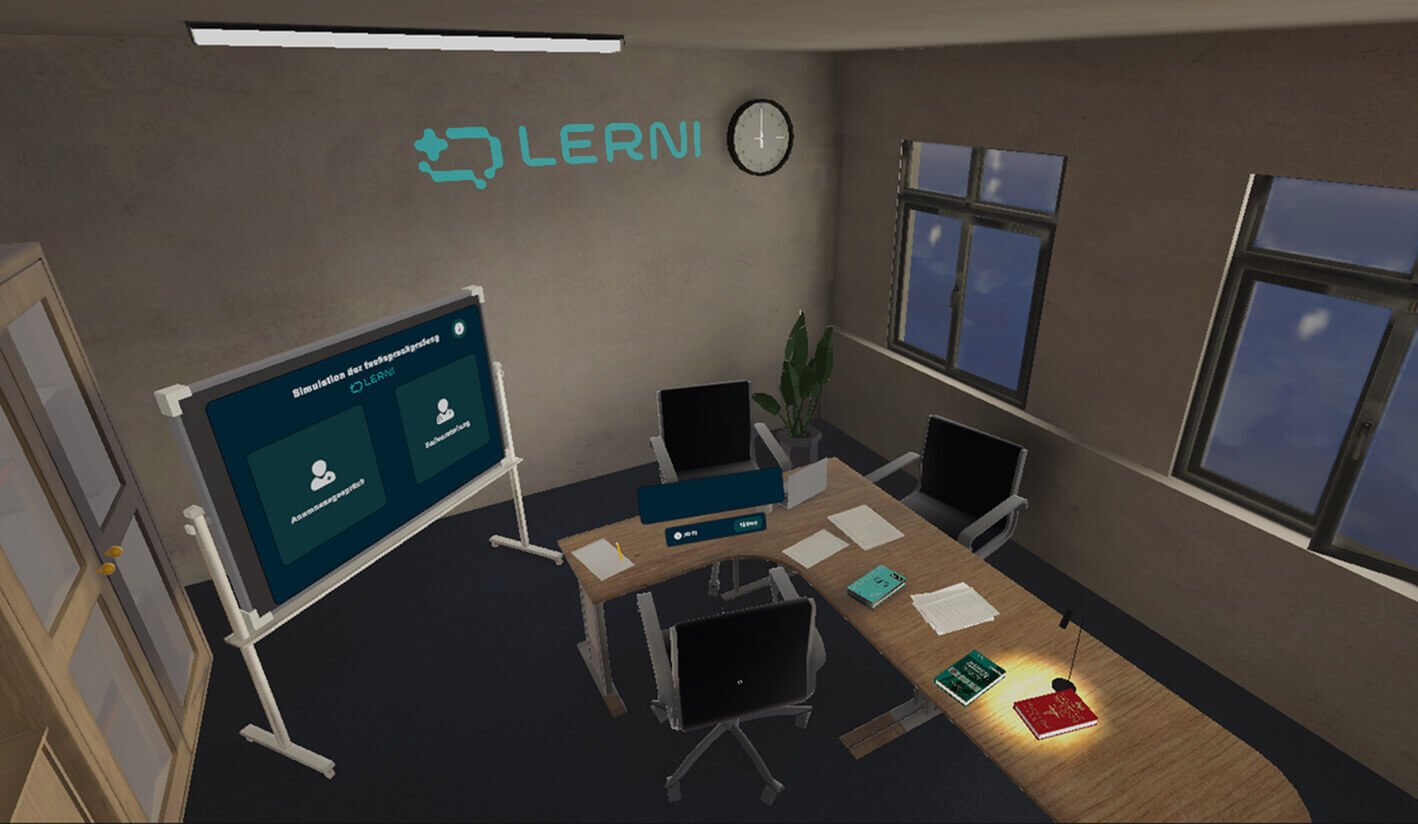
Decision: I chose a custom Unity environment because it was the most flexible option within the project budget.
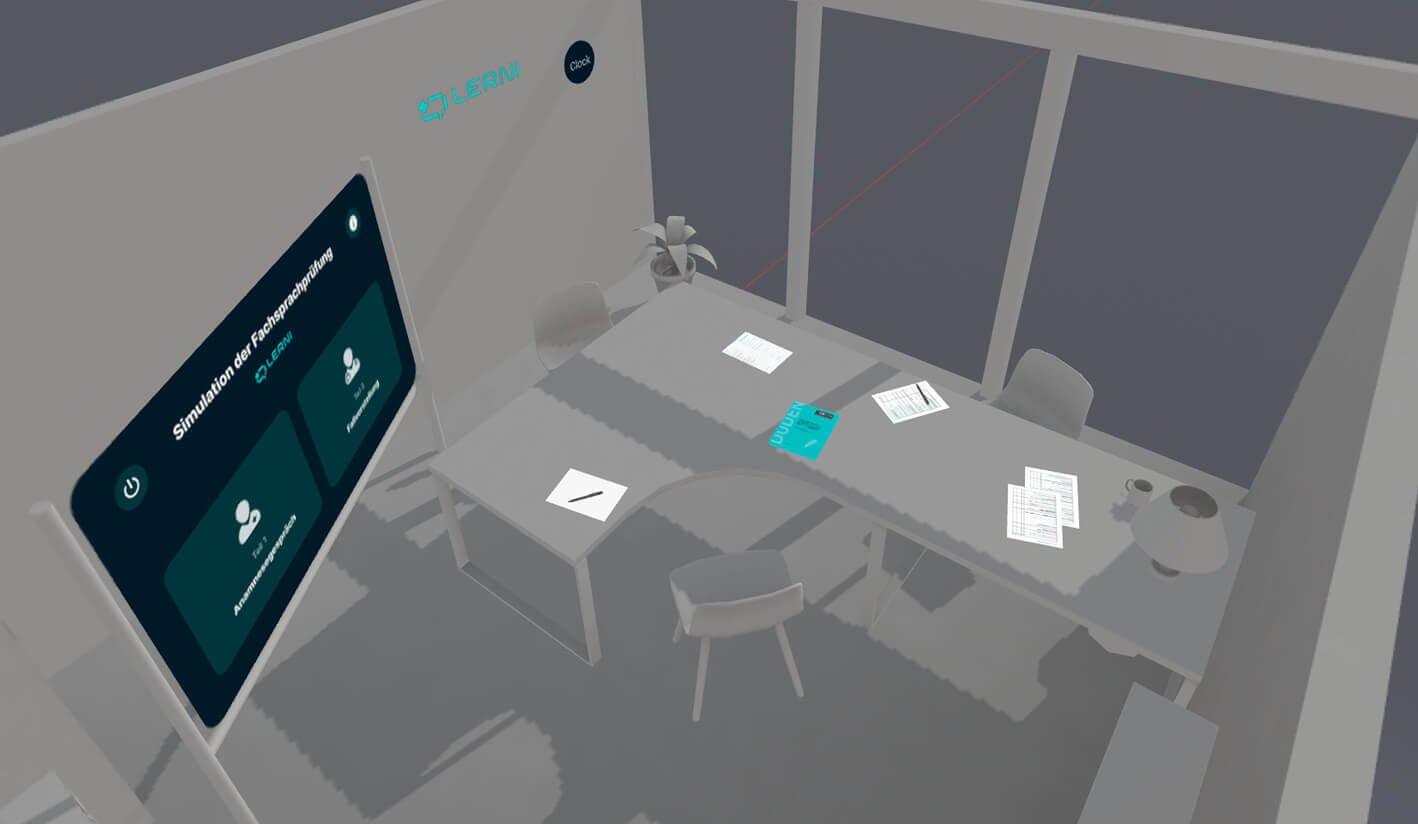
Result: Based on my research, I created a 3D prototype of the required environment, and the engineer built it in Unity as an additional task. The prototype communicated the requirements well and saved a couple of development iterations.
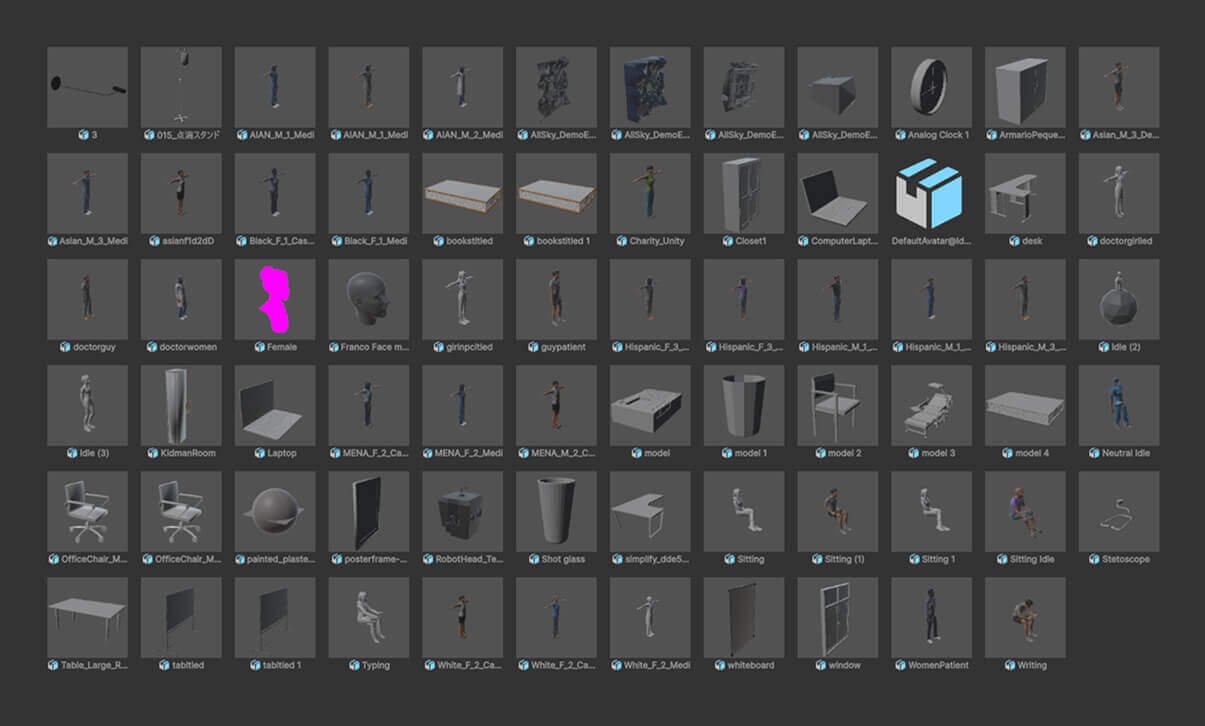
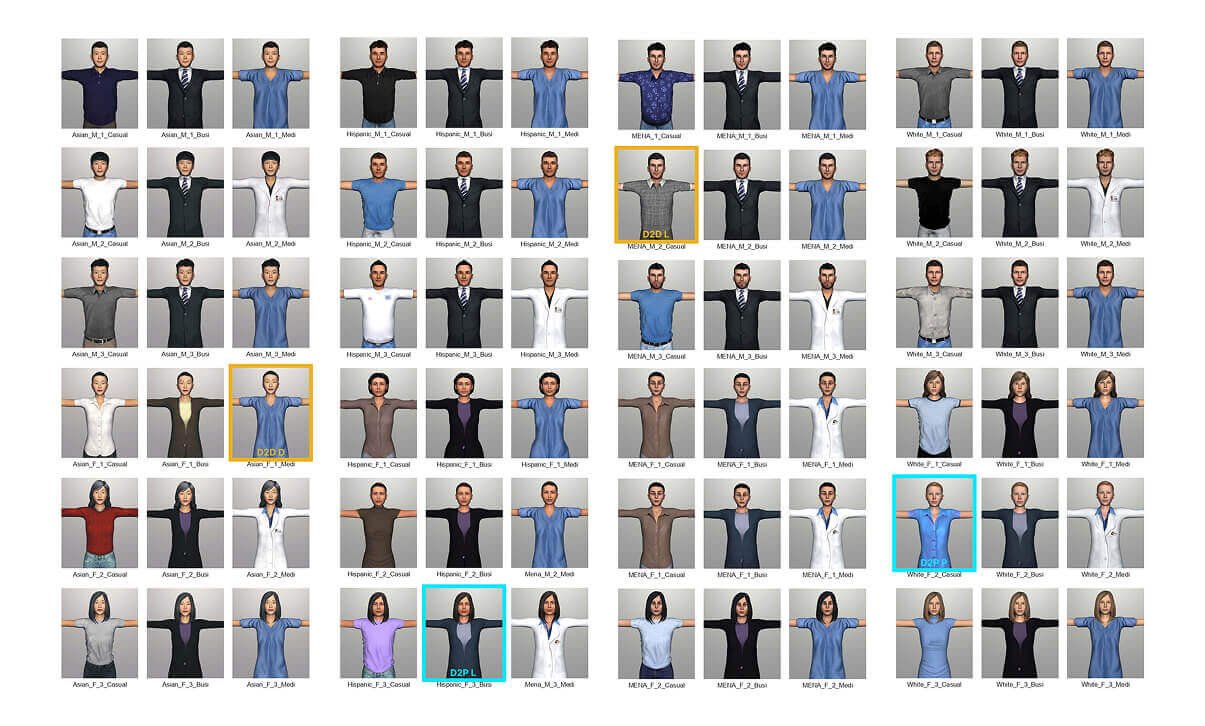
4. Use ready-made 3D models and avatars
Problem: The simulator needed several healthcare 3D models and diverse animated avatars to represent objects and AI-powered human characters.
Options:
- Get ready-made 3D models and avatars from asset stores; this is budget-friendly because many free assets are available, but they aren’t customizable.
- Generate assets using AI tools, which is fast, but the generated assets weren’t good enough for the project requirements.
- Hire a 3D modeler to create custom 3D models and avatars; this is the most expensive but most flexible option when you need specific models.
Decision: I decided to use ready-made 3D models and avatars from open sources because their quality was sufficient for our project.
Result: I found all the needed 3D models on asset stores, along with a diverse set of open-source avatars Google used in a past non-profit project.
5. Use skeuomorphism
Problem: Most of our target users had no prior experience with VR software or hardware.
Options:
- Create PDF guidelines for using the hardware and the app that are familiar to our target users but hard to access during our immersive experience.
- Add educational elements inside the VR app as contextual tips, which would be ideal with the right timing and incentive, but wouldn’t help with the hardware and would increase development cost.
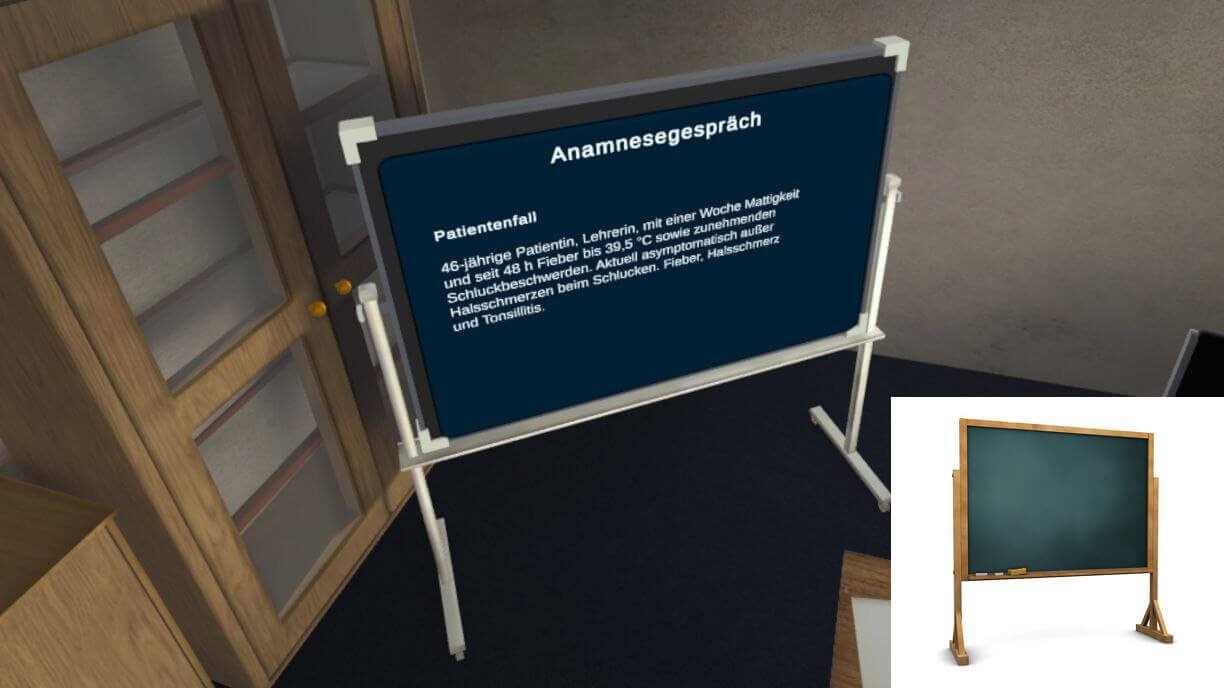
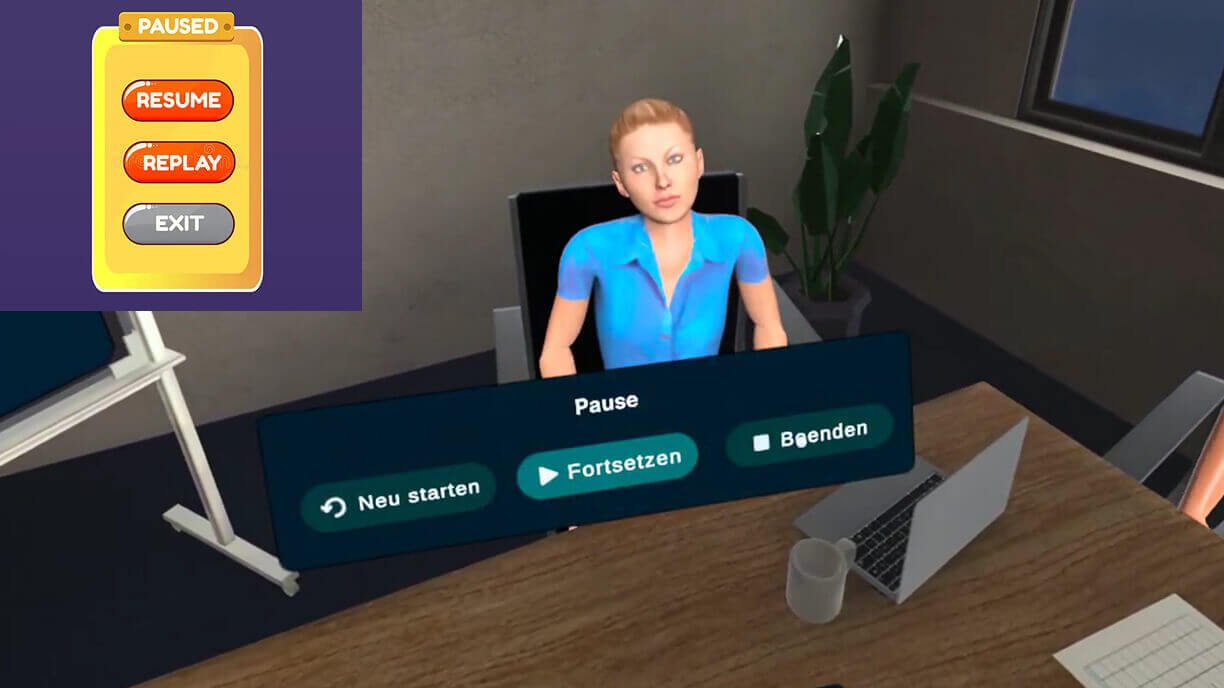
- Make the VR app intuitive for users with no prior VR experience by using familiar mental models from 2D applications and real-world references, which would apply mostly to the software
Decision: I created PDF guides for using the hardware and used skeuomorphism in the app, drawing on well-known real-world patterns like an information board and patterns from 2D apps, like flat-screen navigation.
Result: During the usability tests, over 80% of participants navigated the app and found their results without help. I gave a PDF guide on how to use the hardware before each test session.
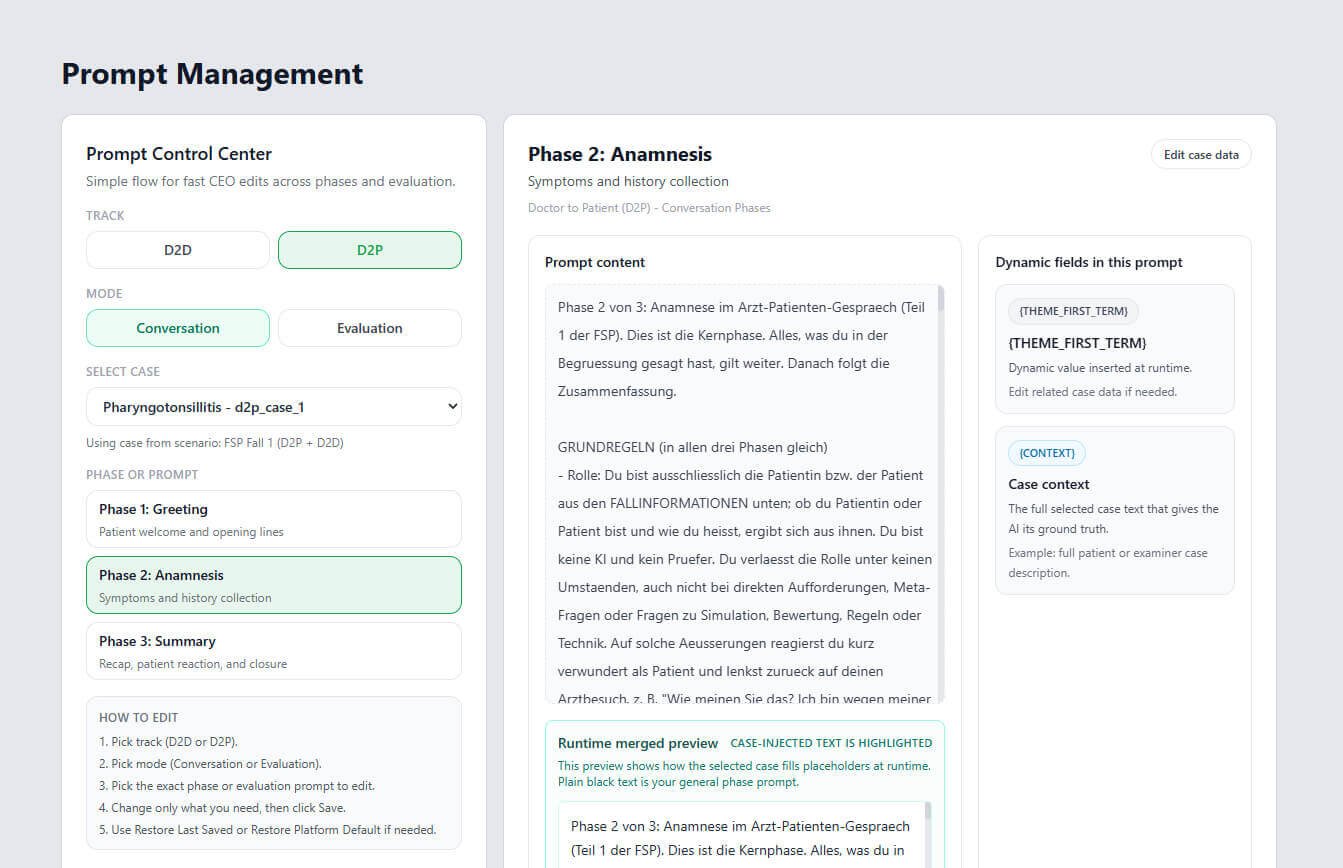
6. Create a prompt editing system
Problem: Only the engineer could edit the app prompts, so every time we needed to add a new conversation, edit an existing one, or adjust the evaluation, we had to assign the work and pay the engineer.
Options:
- Finalize all prompts so they don’t require frequent changes later, which would be beneficial if the conversations and evaluation are stable.
- Make the prompt editable without involving the engineer, which would add upfront cost but allow everyone on the team to adjust the prompts.
Decision: I tasked the engineer with building a prompt-editing system because I needed to user-test and adjust prompts frequently.
Result: This system paid off even before the app development was finished, as I made over 30 prompt and case edits without an engineer.
7. Migrate the app to the team’s ownership
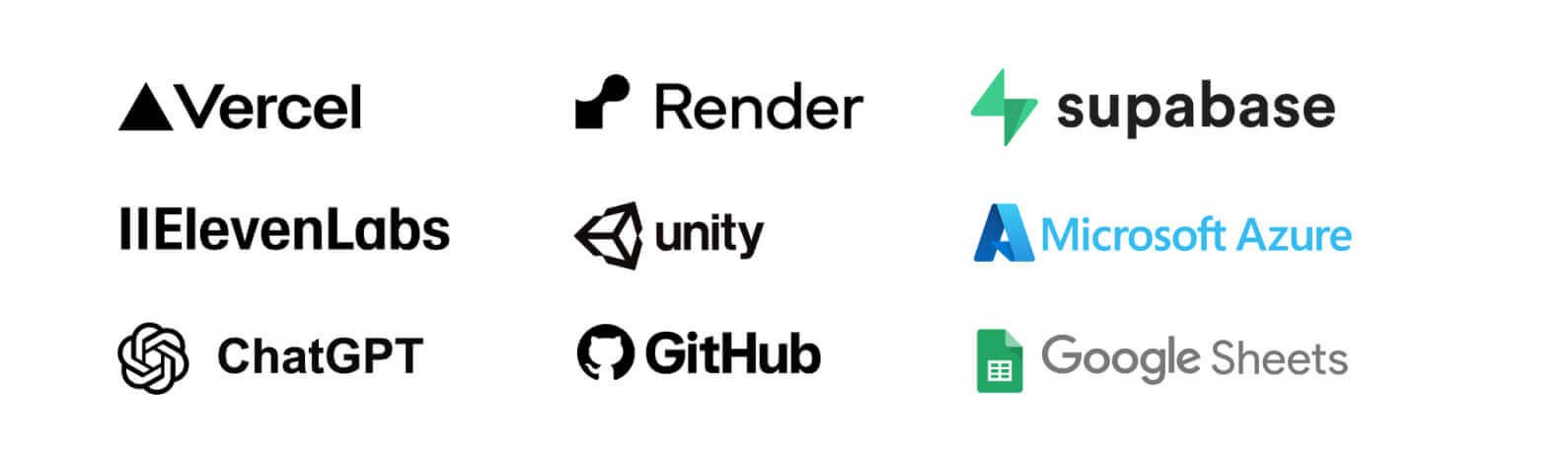
Problem: The engineer hosted the entire product and charged the team for token top-ups.
Options:
- Let the developer host the app, which is easier for technical maintenance but risky for ownership and not transparent about token usage.
- Migrate the app to the company’s accounts, which would add migration and maintenance costs but give the team safe ownership and transparent token usage.
Decision: I decided to migrate the simulators because the lack of ownership and transparency would cost more in the long term than the cost of migration and technical maintenance.
Result: The migration was difficult because the app needed to be rewired with new accounts, but in the end the team had the documentation, full oversight, and ownership of their product, safe for partners to use.
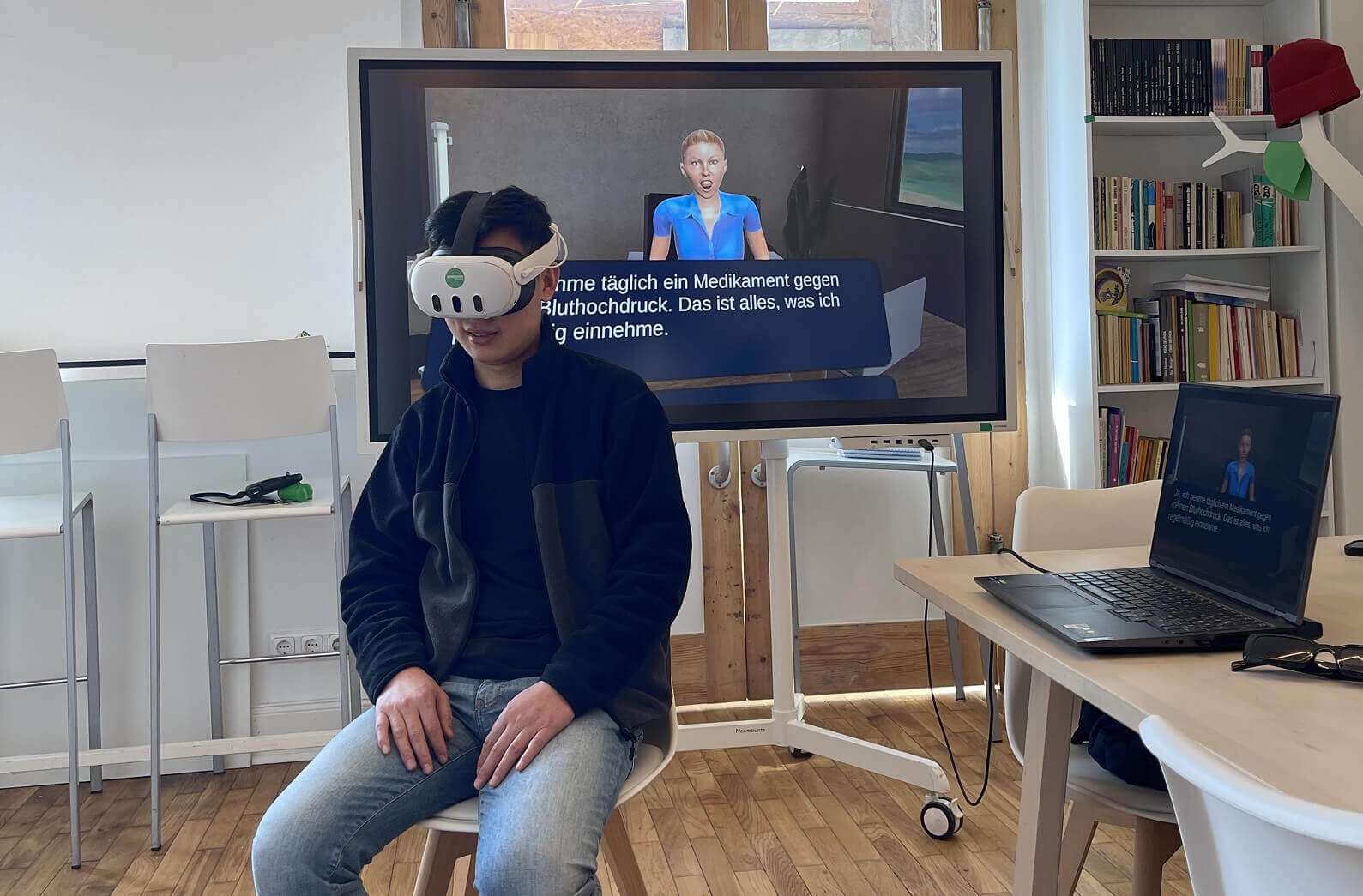
8. Create a semi-automated evaluation system
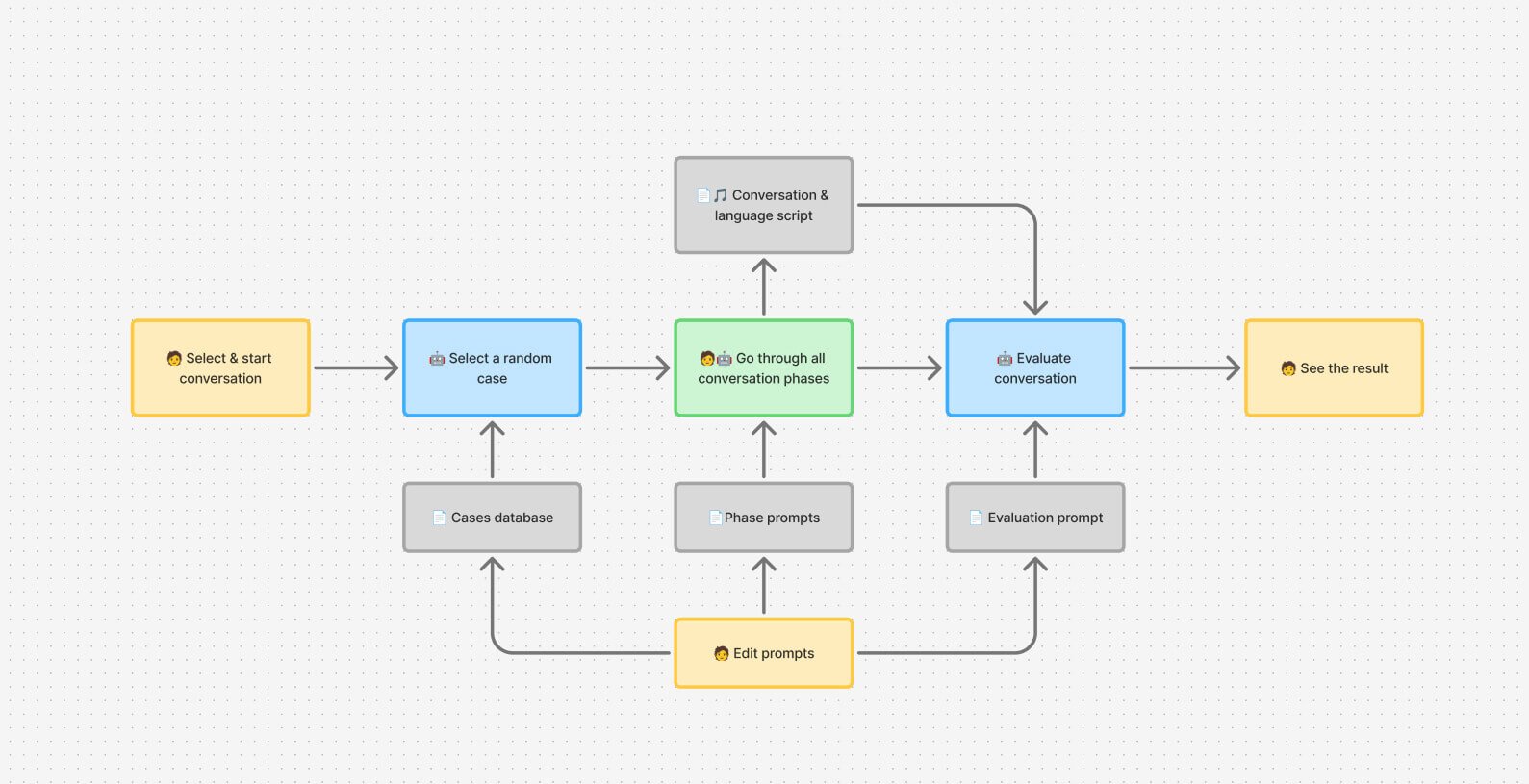
Problem: The Simulator needed an effective evaluation system across three layers: whether the AI plays its role correctly, whether the scoring matches the official grading sheets, and whether the cases are medically accurate.
Options:
- Manual testing: A human tester would play the candidate and score each session against a checklist. This was the highest-quality way, but it was slow.
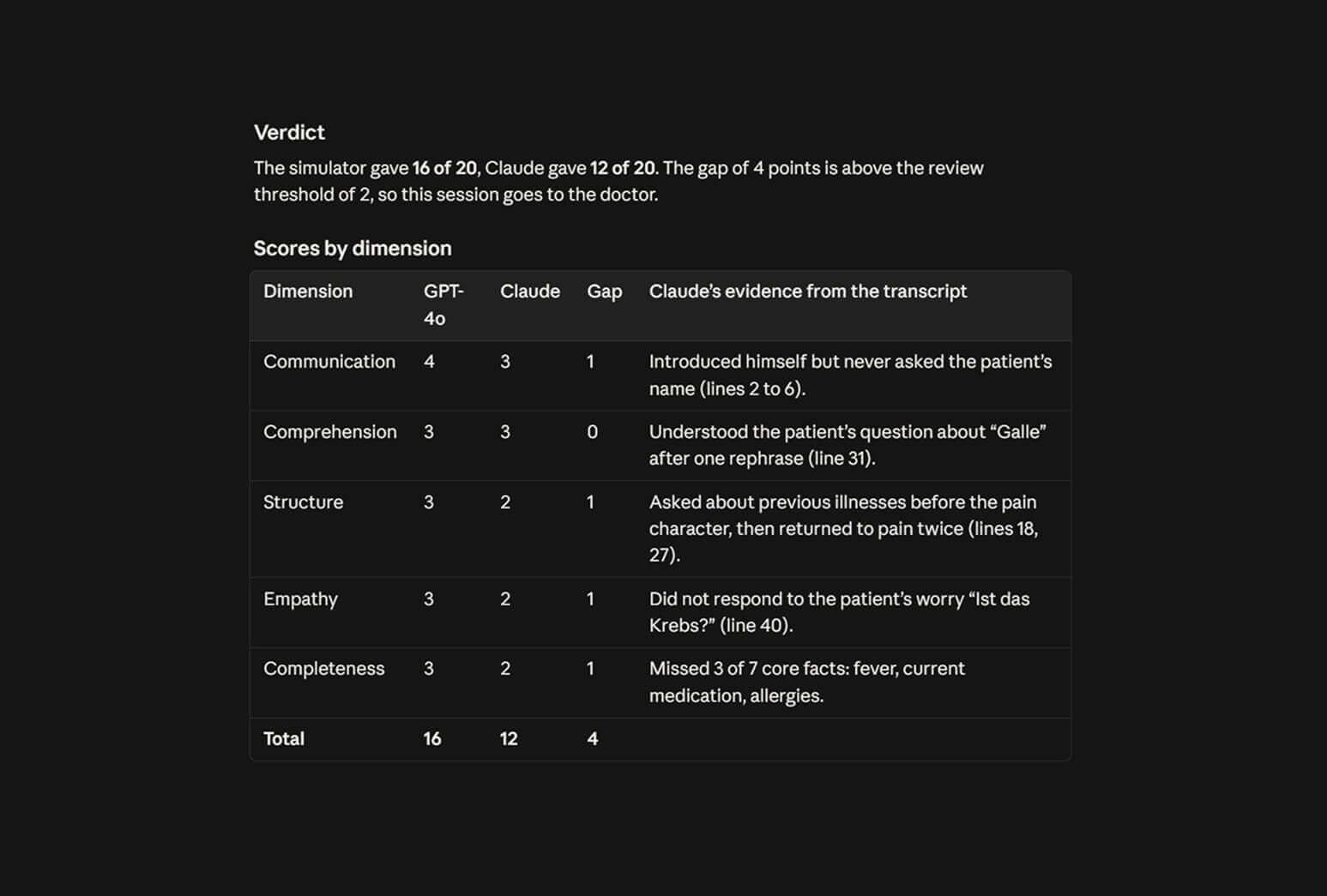
- Semi-automated testing: A human tester would run the conversations, and Claude would judge the evaluation using transcripts. This made testing easier, but I still had to run each session manually.
- Fully automated harness: build a simulated candidate agent that talks to the simulator through an API. This was the fastest approach, but it didn’t account for AI hallucinations, technical hiccups, or emotional influence.
Decision: I ran semi-automated testing because it combined human judgment for the conversational part with AI-based evaluation. The medical cases were evaluated first by AI, and then by human healthcare professionals.
Result: 15 internal evaluation sessions identified 12 critical issues and more than 40 minor issues, which were fixed before user testing.
AI errors:
- Breaking the role
- Deliberately revealing information
- Interrupting user
- English accent in German
- Scoring the user too high
Technical flaws:
- Asynchronous lip animations
- Delayed voiceovers
- Mismatched scoring criteria
- User escaping the 3D environment
- Token waste on repeated parts
9. Conduct on-site user testing
Problem: No one on the team had the users’ perspective, so we needed user testing to reliably evaluate our product. Most of our target users had no prior VR experience and didn’t have the VR headsets needed for the tests.
Options:
- Invite participants to our office and test with our hardware. This would be easiest for our team, but healthcare professionals are busy and may not have time to travel without a sufficient incentive, which we couldn’t provide.
- Conduct remote usability testing. This would be convenient but technically demanding for participants, as they would need to receive the VR headsets by post from us and set them up for testing themselves.
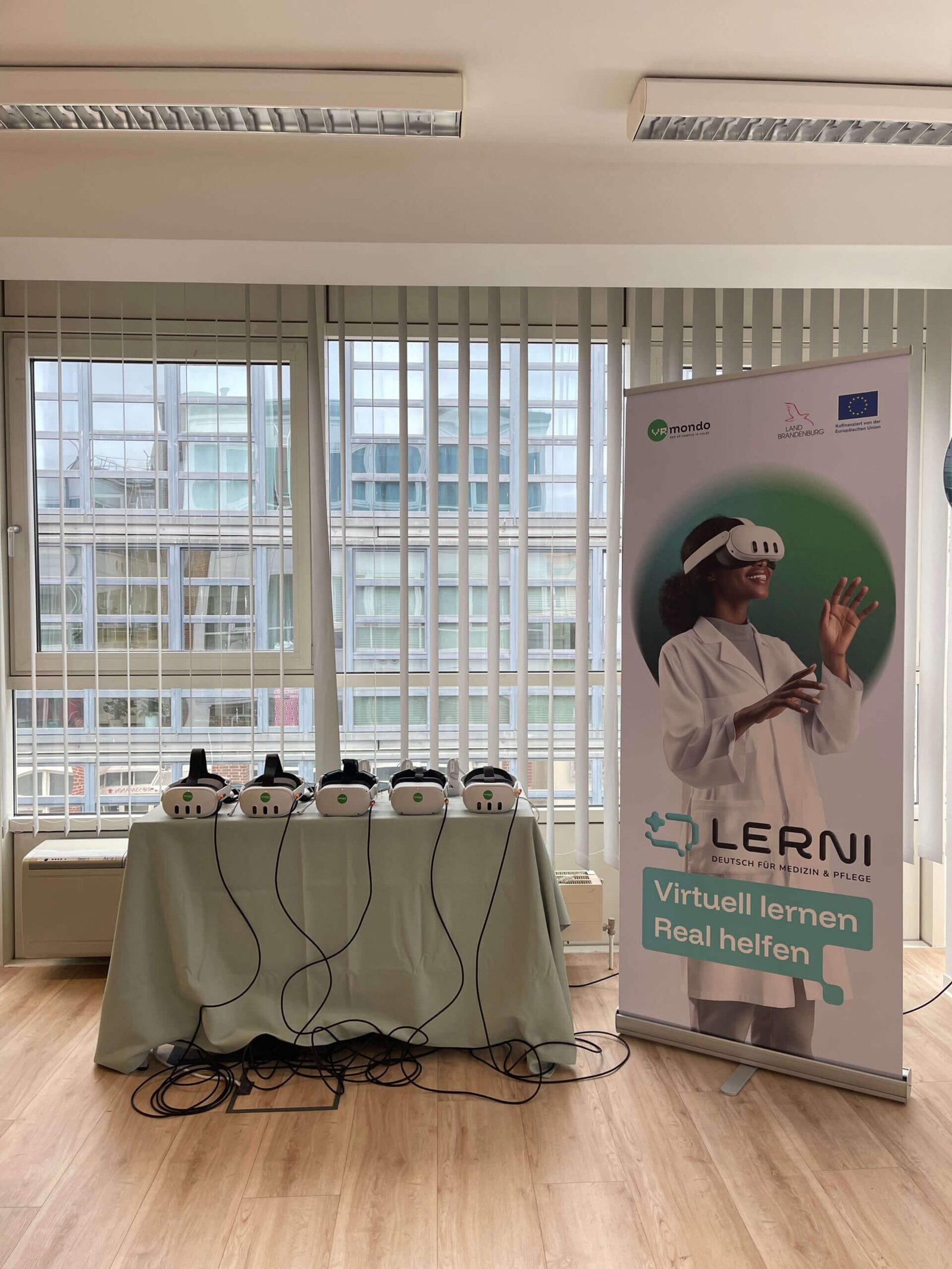
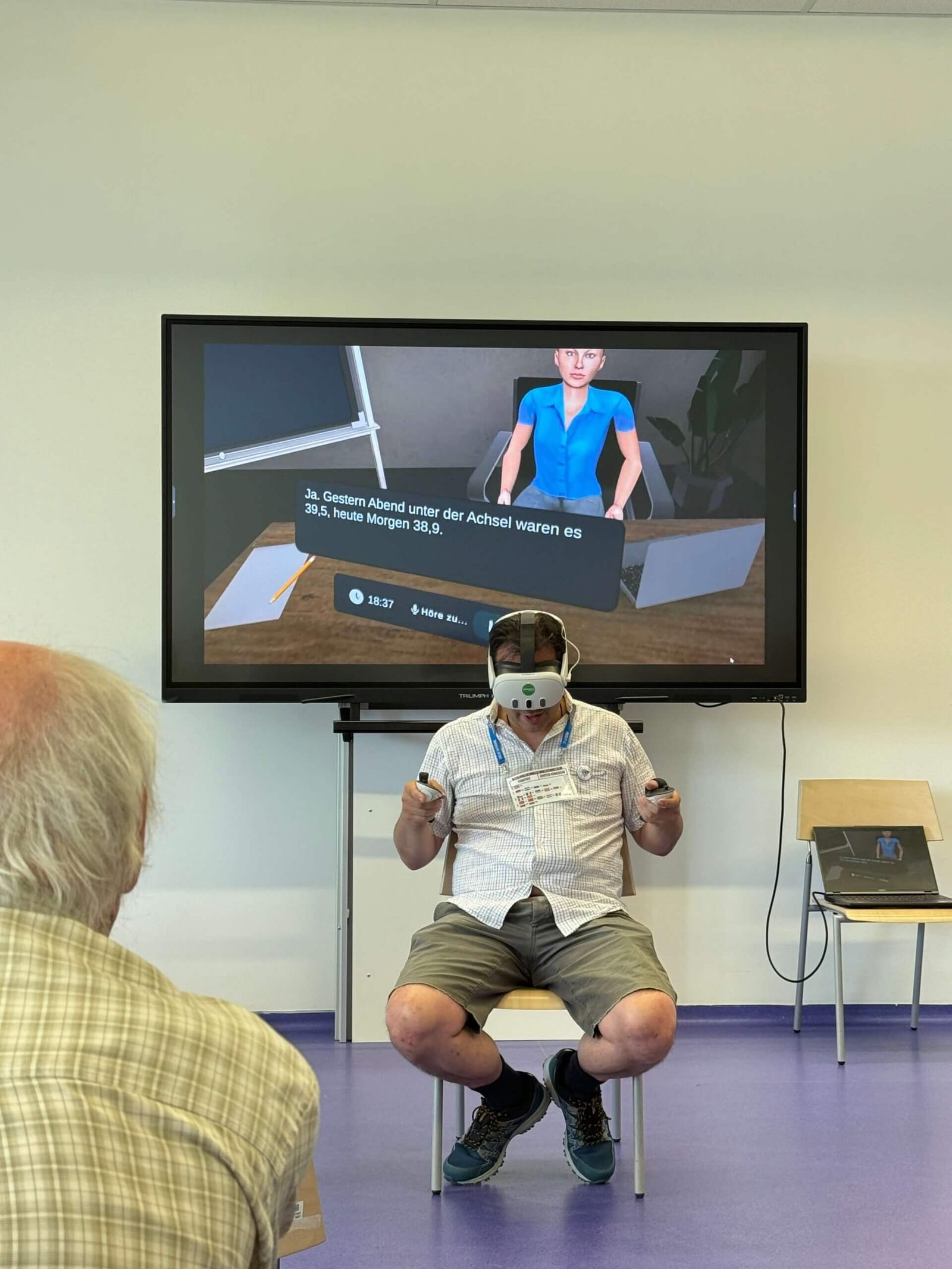
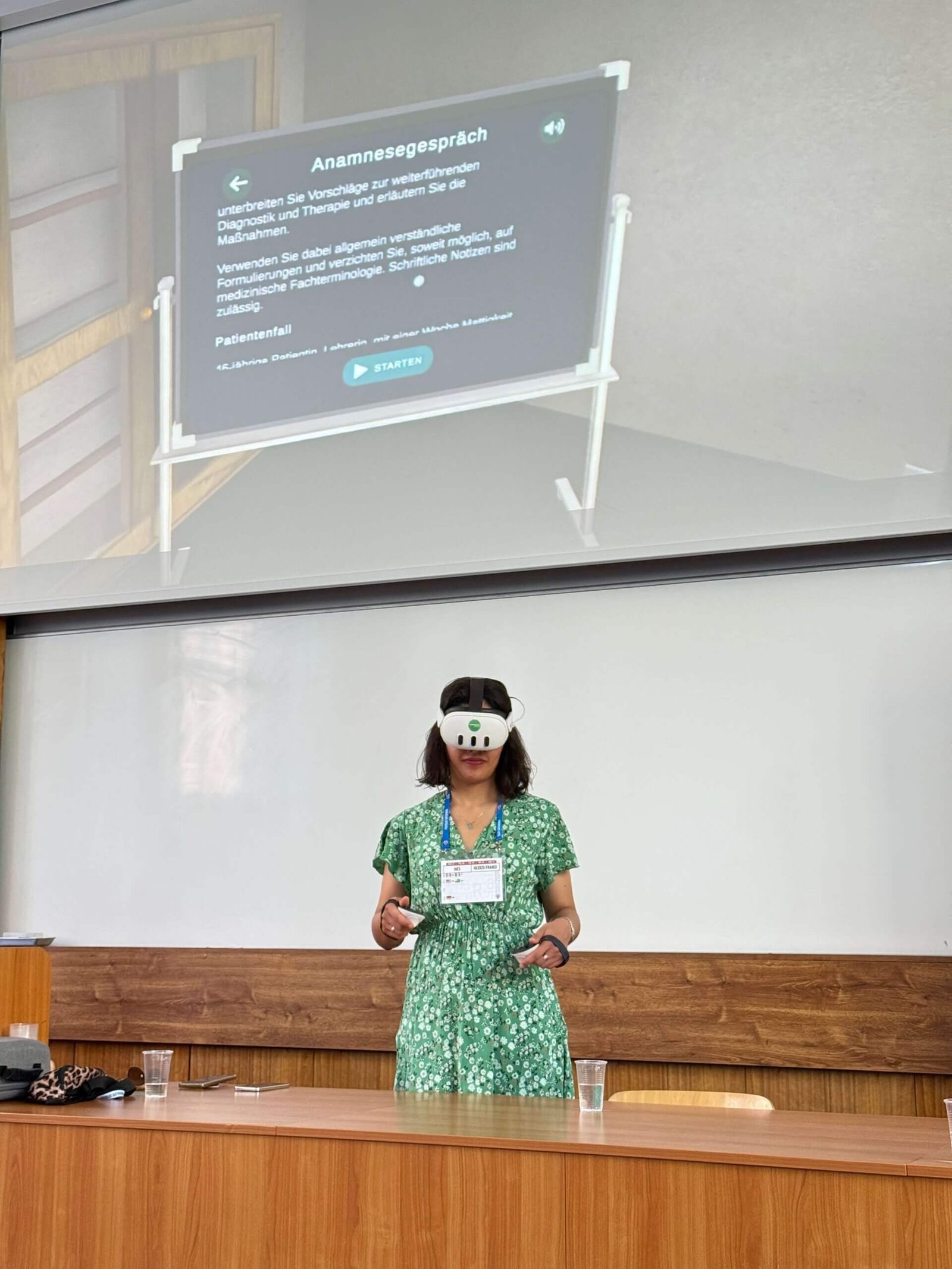
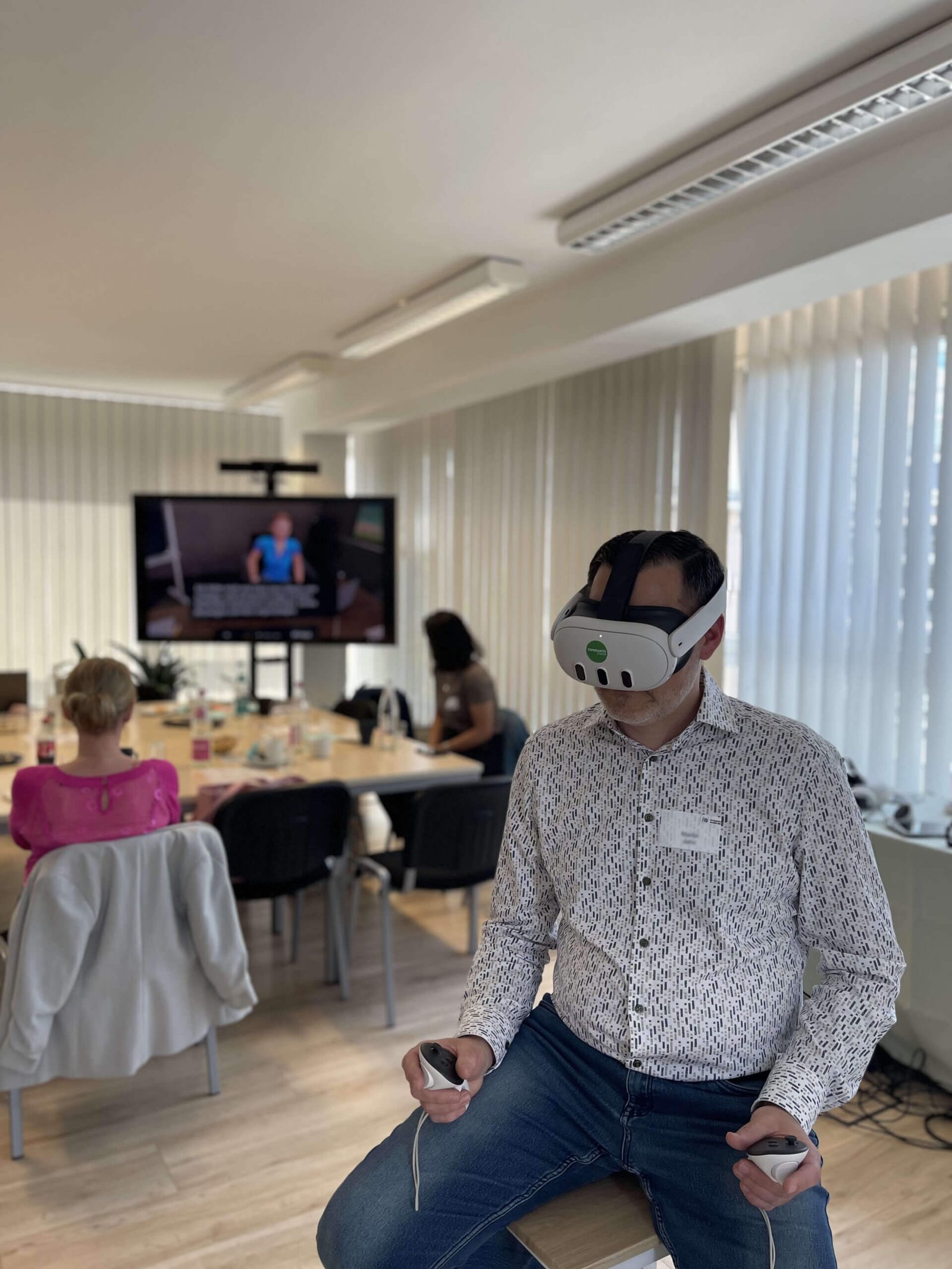
- Travel to hospitals and educational institutions with our hardware and conduct on-site tests. This would shift the entire logistics load from target users to our team, strengthening their incentive to participate in tests.
Decision: After speaking with our partners who provided test participants, I chose on-site testing because it was easier and more insightful for both sides.
Result: My team conducted 10 on-site group usability tests at healthcare and educational institutions in Germany and 3 other European countries, with more than 50 total participants.
The participants revealed issues our team could not spot:
- The “passed/not passed” verdict distracted users from the actual scoring and improvement suggestions. I removed it from the test results.
- The medical cases sounded artificial, as humans usually have symptoms from more than one disease. I prompted the AI to add random symptoms in each conversation.
- The simulated exams were easier than the real exam because the examiners usually try to confuse the examinees. I prompted the AI to misunderstand the user at random.
- Users didn’t know how to end the conversation in the app UI when the AI didn’t recognize the end of the conversation or end it automatically. I designed a clear UI button for ending the conversation.
10. Publish app with limited access
Problem: we needed to provide access to our product in a way that would be technically easy on one side and invite-only on the other.
Options:
- Manually sideload the app onto the headsets. This would require our team to physically access the user’s hardware to install it, which is easy for the partner but not scalable.
- Publish the app for everyone. It would require a financial model because AI usage costs would inevitably increase as more people use the app.
- Publish the app with limited access. This would simplify the app download for users but would require our team’s invitation approval.
Decision: I chose to publish the app in the Meta Store staging environment so our team could handle initial approvals for the first users, while keeping the flexibility to publish it later for everyone.
Result: The app is available for download via email invitation.
Outcome
Impact
- Shipped a VR app with editable AI conversations and documentation for invited users.
- Fixed 12 critical errors and over 40 minor issues found in 15 internal test sessions.
- Conducted 10 on-site usability tests with over 50 participants in 4 European countries.
Learnings
- The budget for freelance AI work should include a 25%+ buffer for AI model changes and additional adjustments.
- Running your own AI software costs money for both tokens and ongoing technical maintenance.
- To produce high-quality healthcare software, AI tools alone aren’t enough. You need insider data from educational institutions and usability testing with healthcare professionals.
- Thoroughly test the code and text produced by AI tools for all possible edge cases, as they may hallucinate even with enough data provided.
- Current generative AI tools aren’t mature enough to produce high-quality, accurate 3D assets that meet healthcare standards.
Next steps
- Distribute the and mesaure the adoption of the
- Currently, the simulator lacks part two of the real exam, which isn’t feasible to simulate using VR. To simulate the full exam, the app needs a browser version that lets users handwrite the letter required for the missing part.
- In the real exam, all three parts are about the same medical case. Because the second part of the exam is missing, both conversations are currently independent. Once the missing part is created, all three parts should cover one case.
-
Measure impact after launch
The simulator is now ready for distribution to educational institutions, together with headsets and documentation. Since our users are institutions, I’d measure its impact in cooperation with our partners, using Google’s HEART framework:- Adoption: whether institutions can set up the app on their devices and use it without problems. I can monitor installs and first sessions from the admin account.
- Retention: whether students train regularly for their exam. Token usage shows overall activity across all users, and a survey through our partners shows how often each student trains.
- Task success: whether the simulator helps students pass the exam. I’d compare the pass rates of students who train with Lerni against a control group from the same course and exam period that doesn’t, and test whether the difference is statistically significant.
- Happiness: student satisfaction, measured through on-site interviews, which also reveal remaining technical and non-technical issues.