
Finance Tracker

Product
Personal finance tracker: a pipeline that turns bank exports into categorized transactions in Notion and shows them on a custom dashboard
My role
Solo: designed, built, and tested the workflow, including the Notion database, Claude skill, and the dashboard interface
Team
Just me with Claude as an analysis and coding partner
Timeline
April to November 2026
Problem
Sorting transactions by hand took over an hour every month, and analysis was limited by interfaces of existing solutions
Outcome
Sorting now takes about 5 minutes a month, and the analysis is flexible due to a custom dashboard
Problem
I’ve tracked my personal finances for years to see where my money goes, monitor subscriptions, set and follow budgets, and understand my spending behavior.
What got in the way:
- Categorizing transactions took me over an hour a month, not counting the analysis
- The tools I tried weren’t flexible enough. Switching months meant editing filters, and each metric needed its own chart view
- Banks and my cash app offer no API, so I export the tables by hand.
Goals:
- Cut categorizing from over an hour to minutes, without losing accuracy
- See all key metrics on one screen, without editing filters
Key decisions
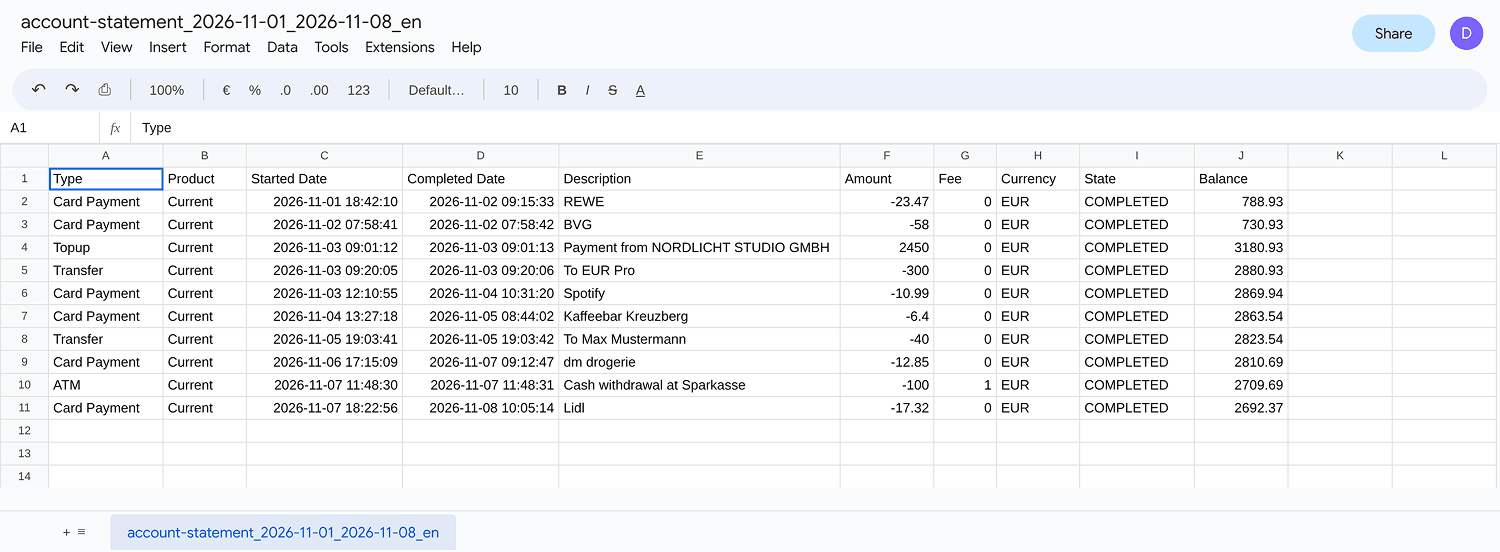
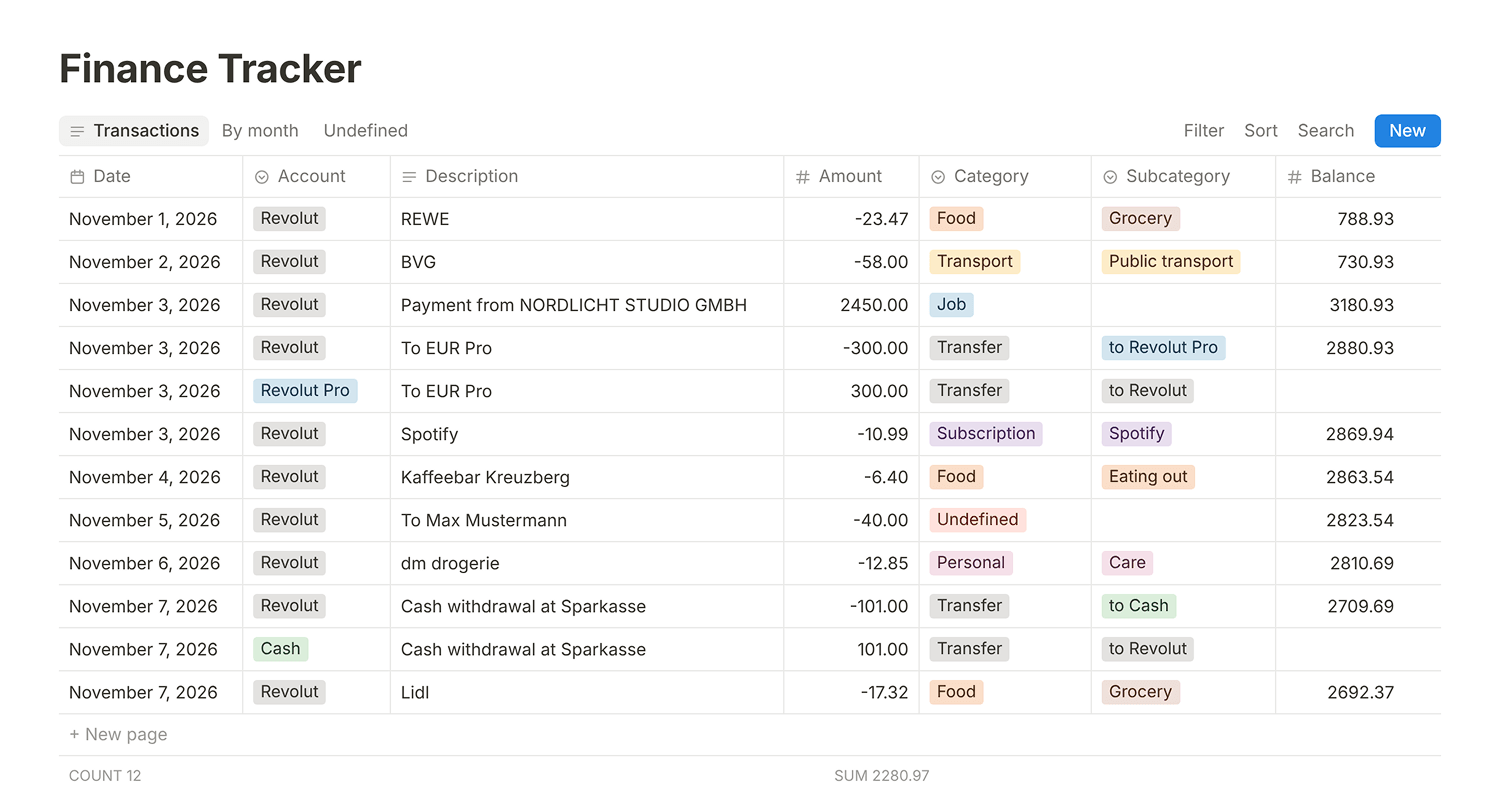
1. Use plain code for reformatting
Problem: Each finance app exports a table with different columns. Before anything can be categorized, it all has to be in one clean format.
Options:
- Reformat by hand: no setup, but the same repetitive work every month
- Let an agent reformat every export: flexible, but it spends tokens on a mechanical task
- Have AI write one script per source: set up once, then free and predictable to run
Decision: One script per source, written with AI. Reformatting is a mechanical task, not a reasoning task.
Result: No tokens spent on reformatting, and the output always has the same format. When a script breaks, Claude fixes it in the same run and asks me if something is unclear.
2. Auto-update the rules on approval
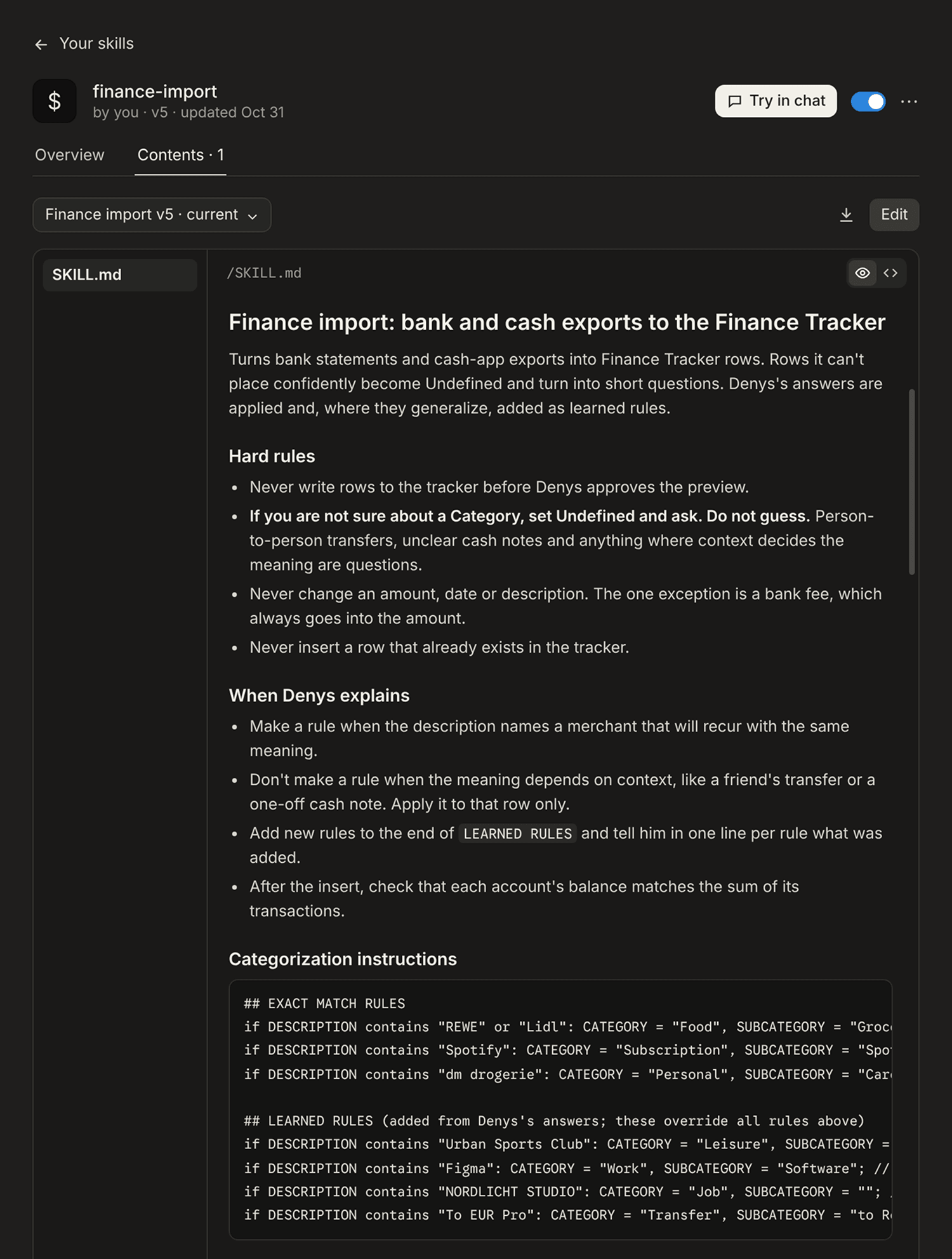
Problem: AI learned my categories from about 3,000 past transactions. But rules learned once go stale. New merchants appear, and old patterns no longer apply.
Options:
- Manual: I’d review the instructions, remove old rules, and add new ones by hand. Most accurate, but the most time-consuming.
- Automatic: Let AI update the rules on its own: no effort, but no control. If it learns something wrong, I fix it by hand later anyway.
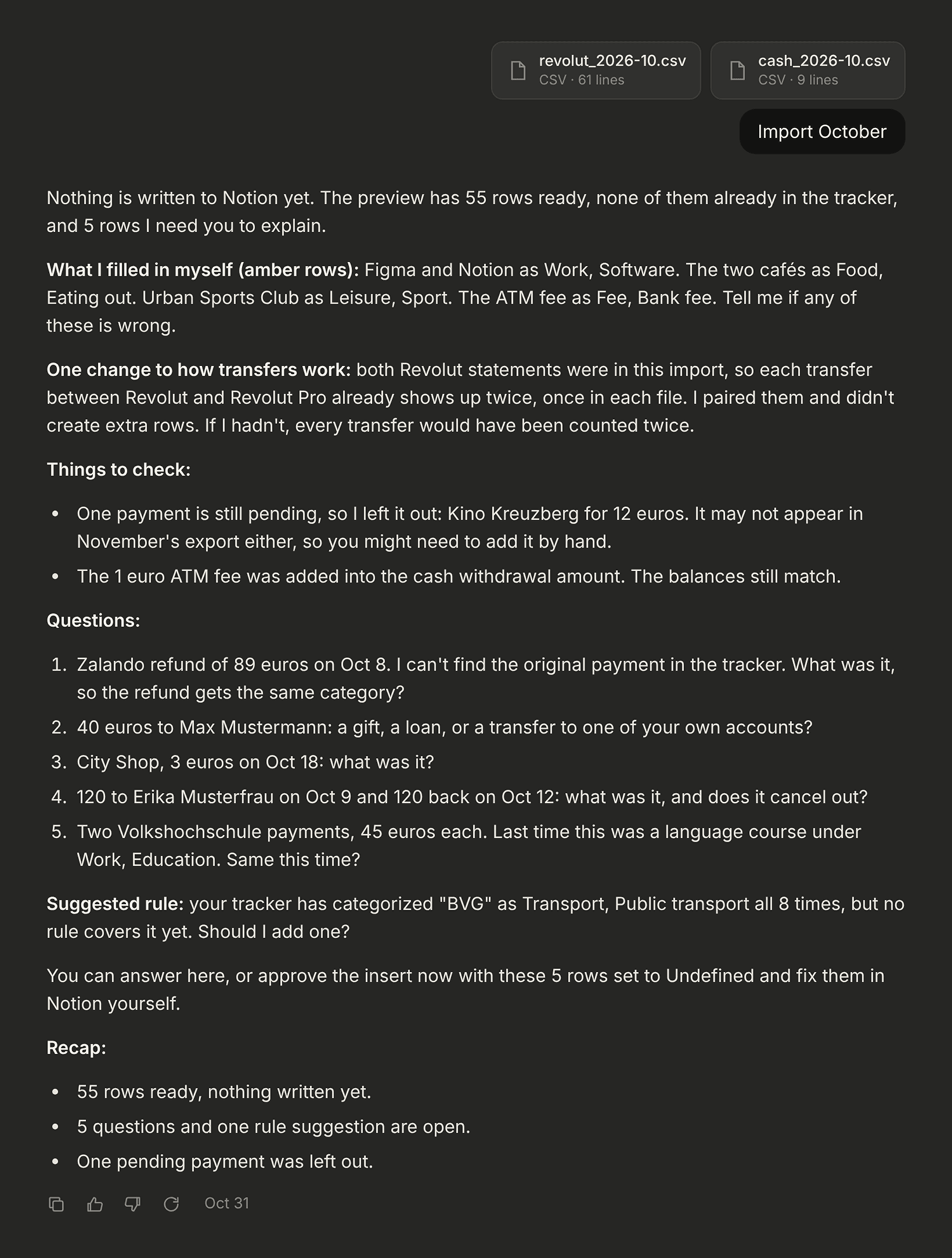
- Hybrid: AI proposes new rules and retires old ones, then asks me before they apply. I answer yes, no, or dictate a correction.
Decision: I went with the hybrid. Two rules make it work. If the AI isn’t sure about a category, it marks the transaction as Undefined and asks instead of guessing. And it only turns my answer into a rule when the transactions recur with the same meaning, not for one-off cases like a friend’s transfer.
Result: The system learns with every import, asks me whether it learned correctly, and updates its categorization skill once per run. A separate finance auditor then checks that each account’s balance matches the sum of its recorded transactions and catches missing or duplicated rows.
3. Separate the database from the interface
Problem: I needed a tool that could store thousands of transactions and visualize them for human analysis.
Options:
- Money Manager app: ready-made charts, but not flexible enough for custom views
- Google Spreadsheets: any chart and statistic I wanted, but the database didn’t scale
- Notion: a scalable database, but the views needed constant filter editing
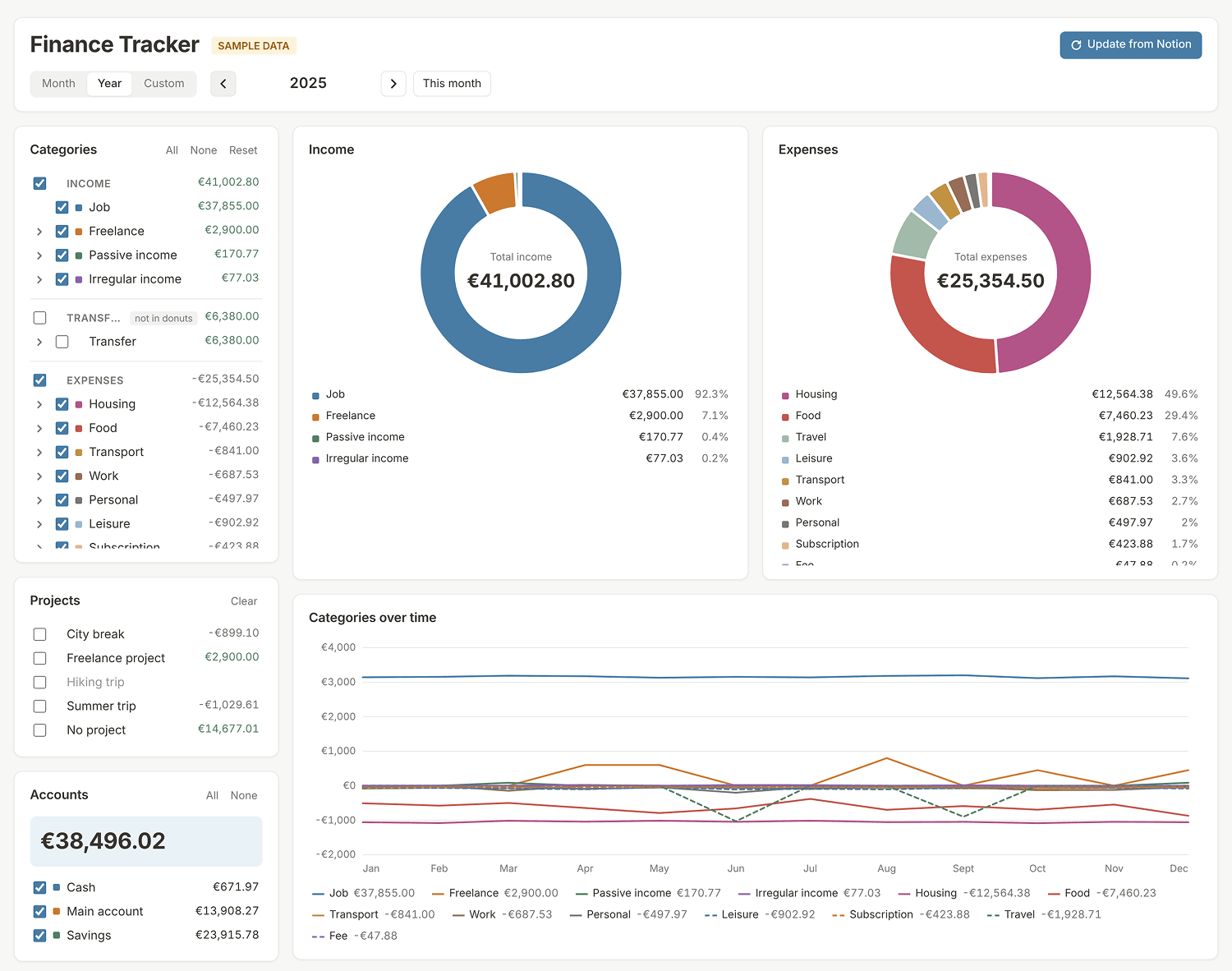
- Custom UI: a vibe-coded dashboard with all metrics on one screen
Decision: Notion stays as the database, and a Claude-coded dashboard is the interface. I moved my analysis completely from Notion views to the dashboard.
Result: All key metrics are on one screen. I switch between months, categories, and accounts without editing filters.
Outcome
Impact
- Sorting transactions went from over an hour a month to about 5 minutes.
- The pipeline is automated except for two steps: getting the data, which banks protect, and judging ambiguous transactions.
- In the October 2026 import, 55 transactions were added, 10 needed my clarification, and 1 rule was suggested.
Learnings
- Not every step needs AI. Code is cheaper and more predictable for mechanical work.
- AI features that learn from users need a visible approval step, so people can check and correct what the system learned before it affects them.
- Trust needs something to check against, like balances that must add up. In AI products, I’d look for a similar ground truth to measure output against.
- Collecting the questions into one short review at the end keeps a human in the loop without slowing the workflow down.
- Privacy is part of the design. The data should contain no card numbers or login credentials, so the main risk is unauthorized account access. I protect the Notion account with 2FA, monitor logged-in devices, and check Claude’s training and memory settings.
Next steps
- Automate parts of the analysis based on my goals and behavior, and let AI suggest improvements to my financial habits
- Automate the export if banks open up access